
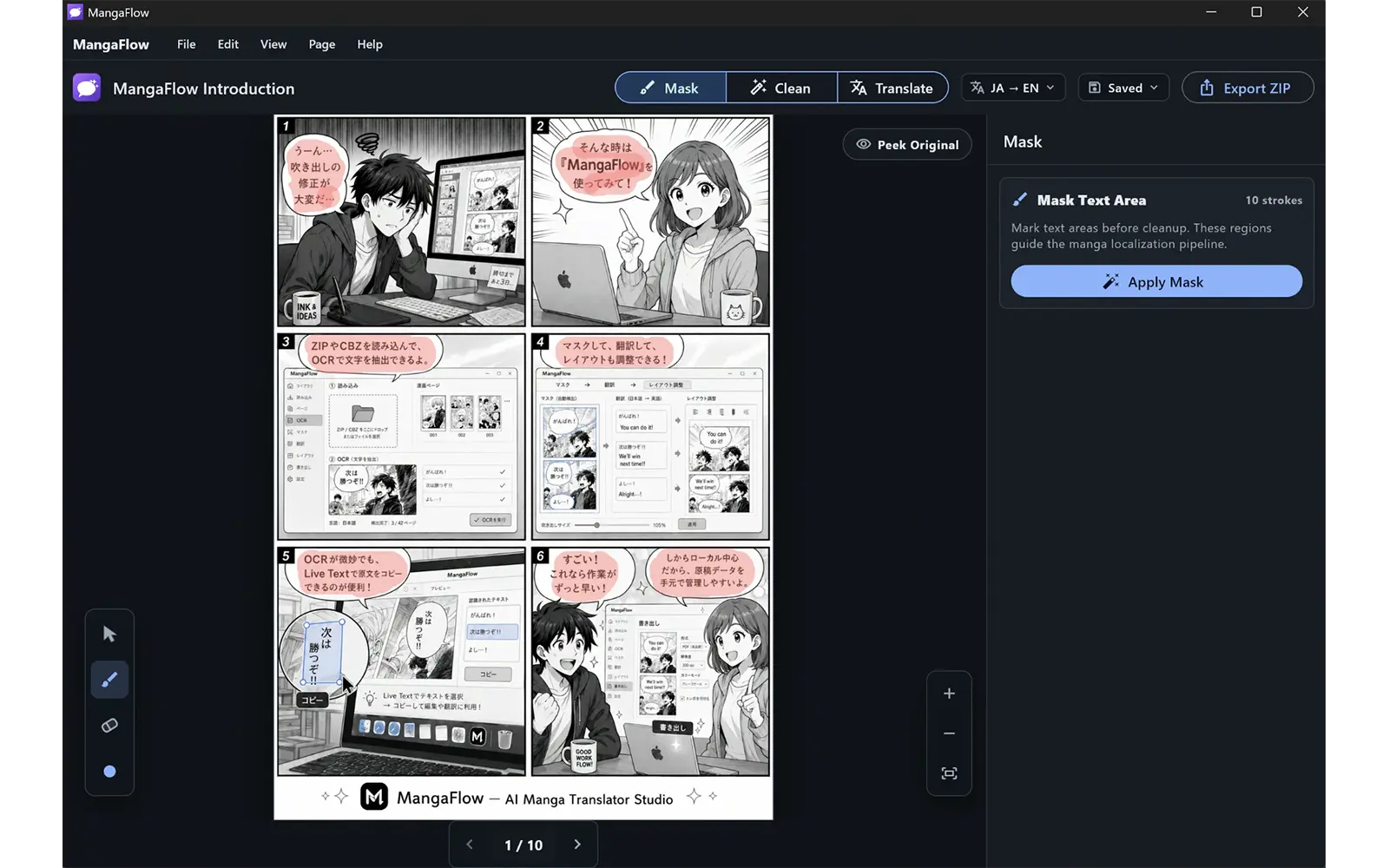
Review and refine masks
Inspect detected text areas and adjust masks before cleanup.
 MangaFlow Studio
A local-first Windows workspace for manga OCR, cleanup, translation, typesetting, and rendered export.
Screenshots
Inspect detected text areas and adjust masks before cleanup.
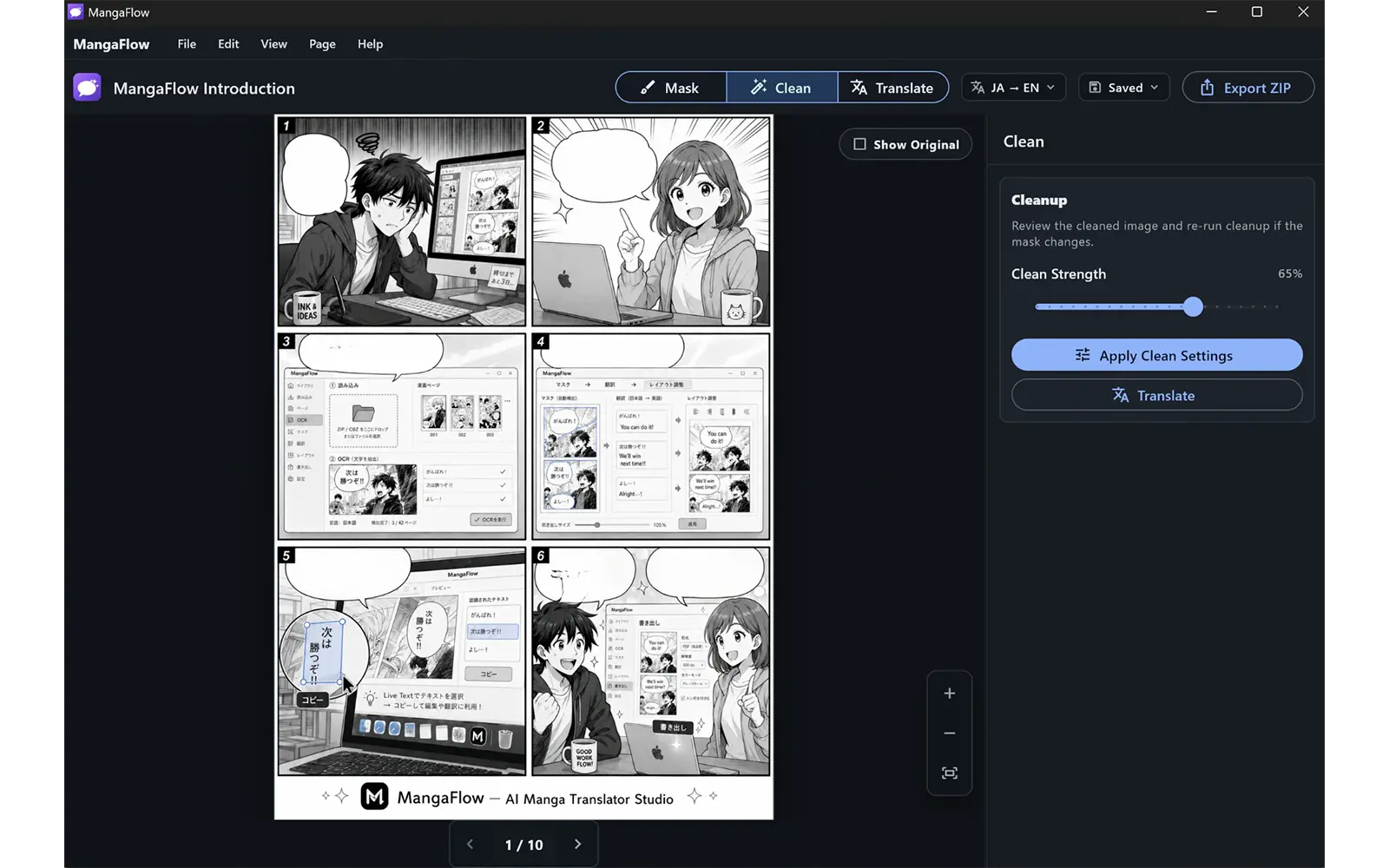
Remove original text and prepare manga pages for translation and typesetting.
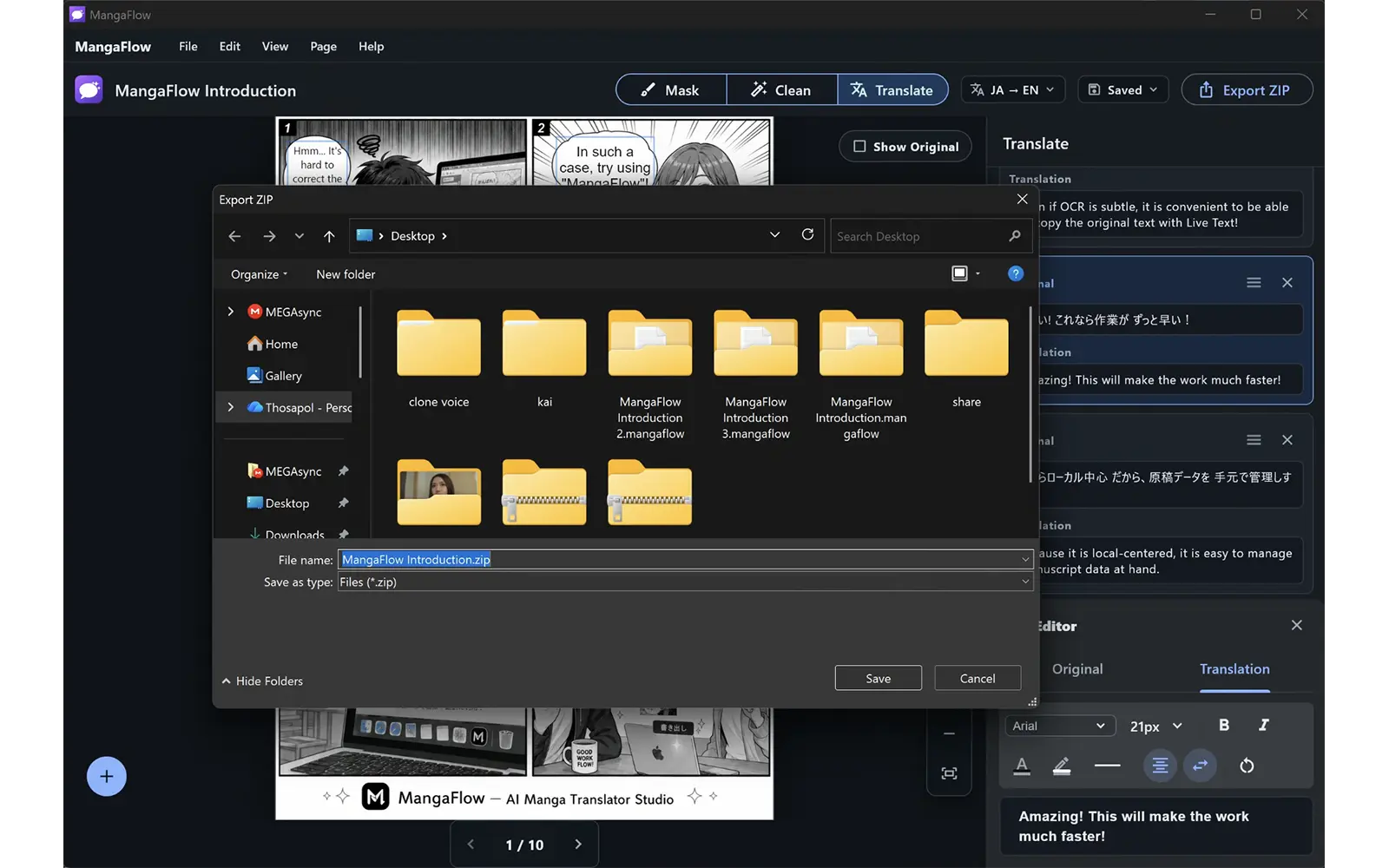
Render translated pages and export the finished project for sharing or delivery.
Windows workflow
Work through manga pages in a focused desktop environment for Windows.
Prepare source pages, run OCR workflow steps, and clean original text areas.
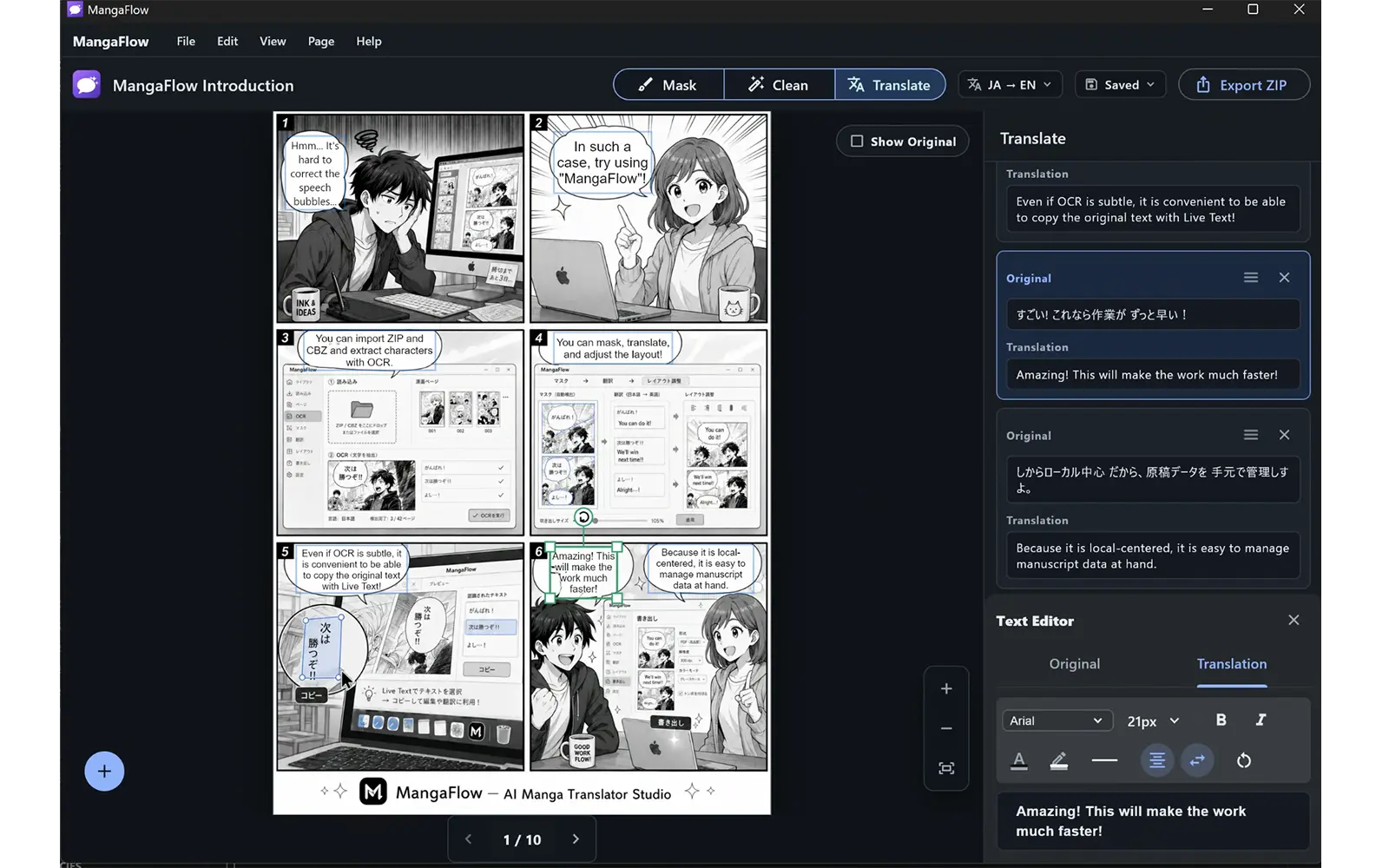
Draft translations, refine wording, and keep page text organized in one project.
Place translated text, tune styling, and review page composition before export.
Export finished pages after checking cleanup quality, text placement, and order.
Keep project files, page assets, translations, and exports in your Windows workspace.