
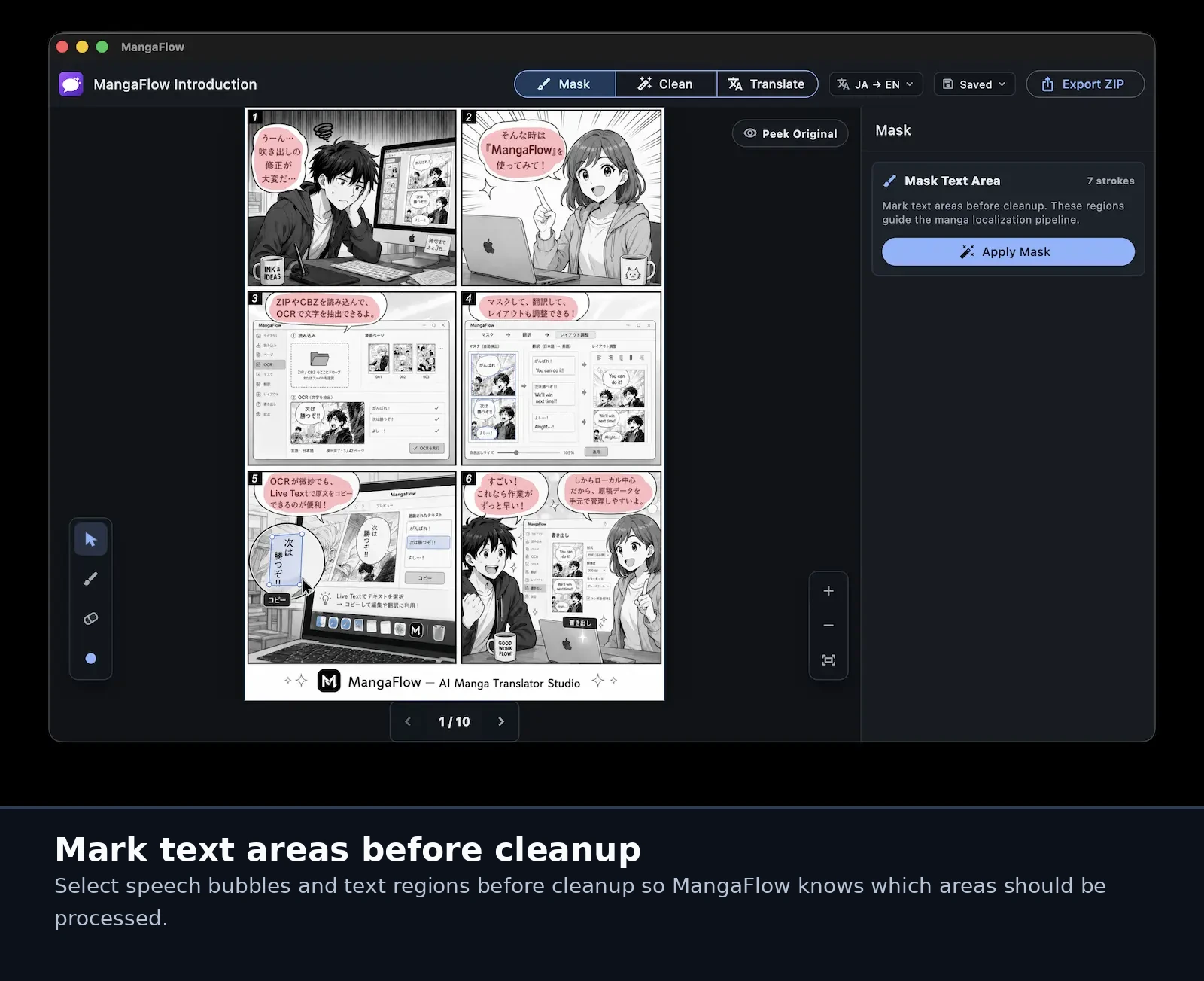
Mark text areas before cleanup
Select speech bubbles and text regions before cleanup so MangaFlow Studio knows which areas should be processed.
 MangaFlow Studio
A local-first macOS workspace for manga OCR, cleanup, translation, typesetting, and rendered export.
Screenshots
Select speech bubbles and text regions before cleanup so MangaFlow Studio knows which areas should be processed.
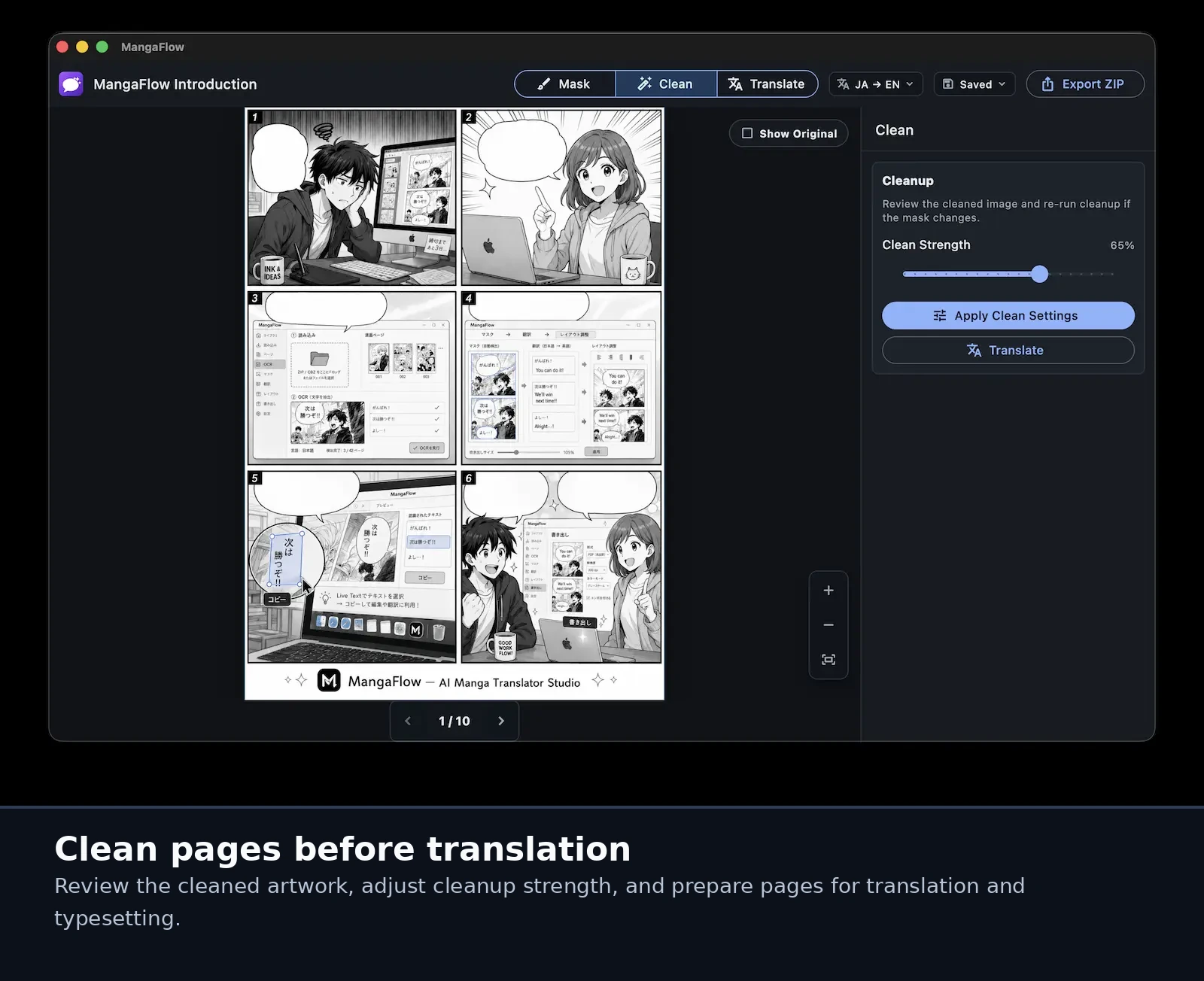
Review cleaned artwork, adjust cleanup strength, and prepare pages for translation and typesetting.
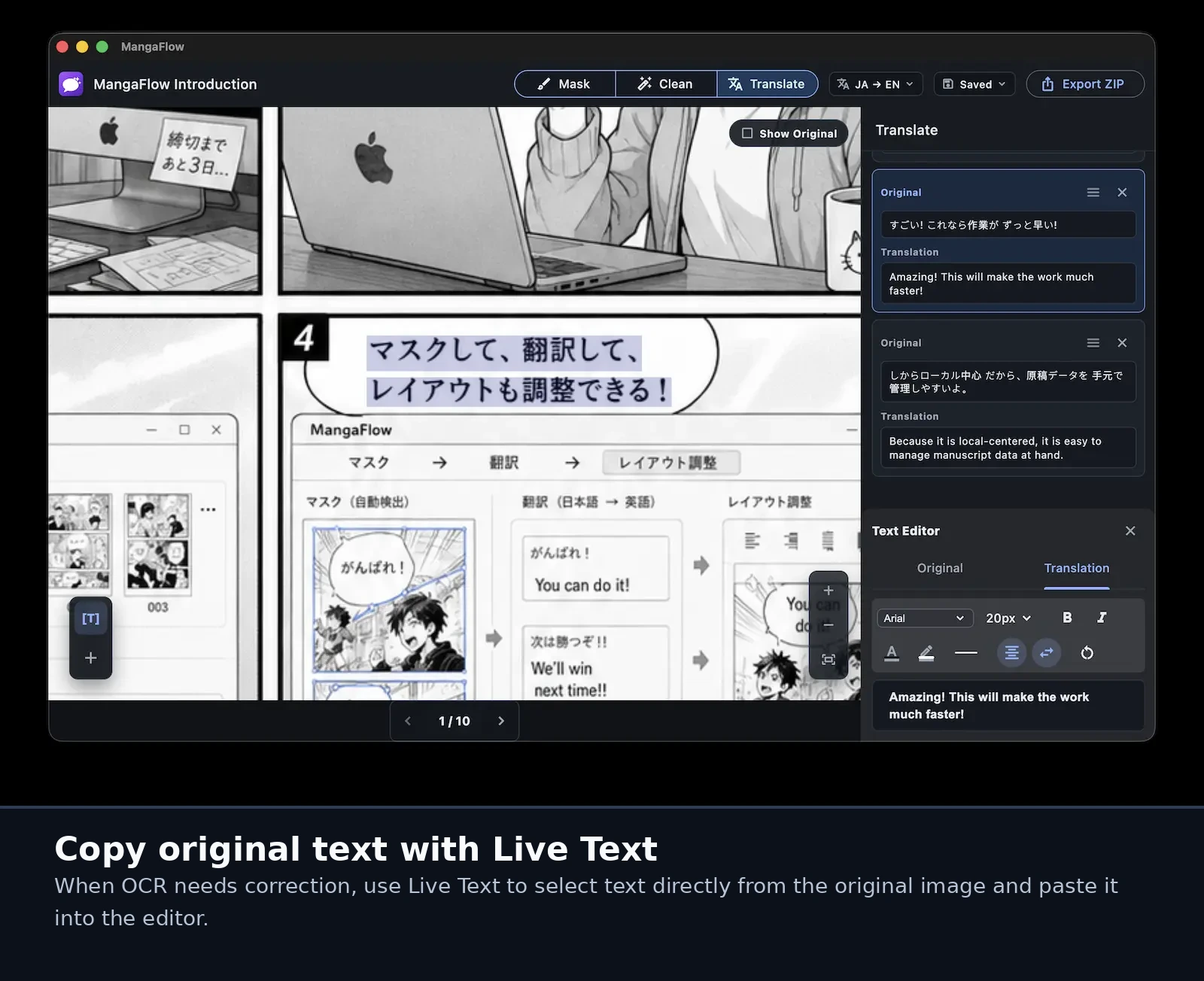
When OCR needs correction, select text directly from the original image and paste it into the editor.
Workflow
Import ZIP, CBZ, folders, and .mangaflow projects into one workspace.
Use Apple Vision OCR and PaddleOCR to extract original page text.
Prepare page artwork by masking and cleaning text regions before typesetting.
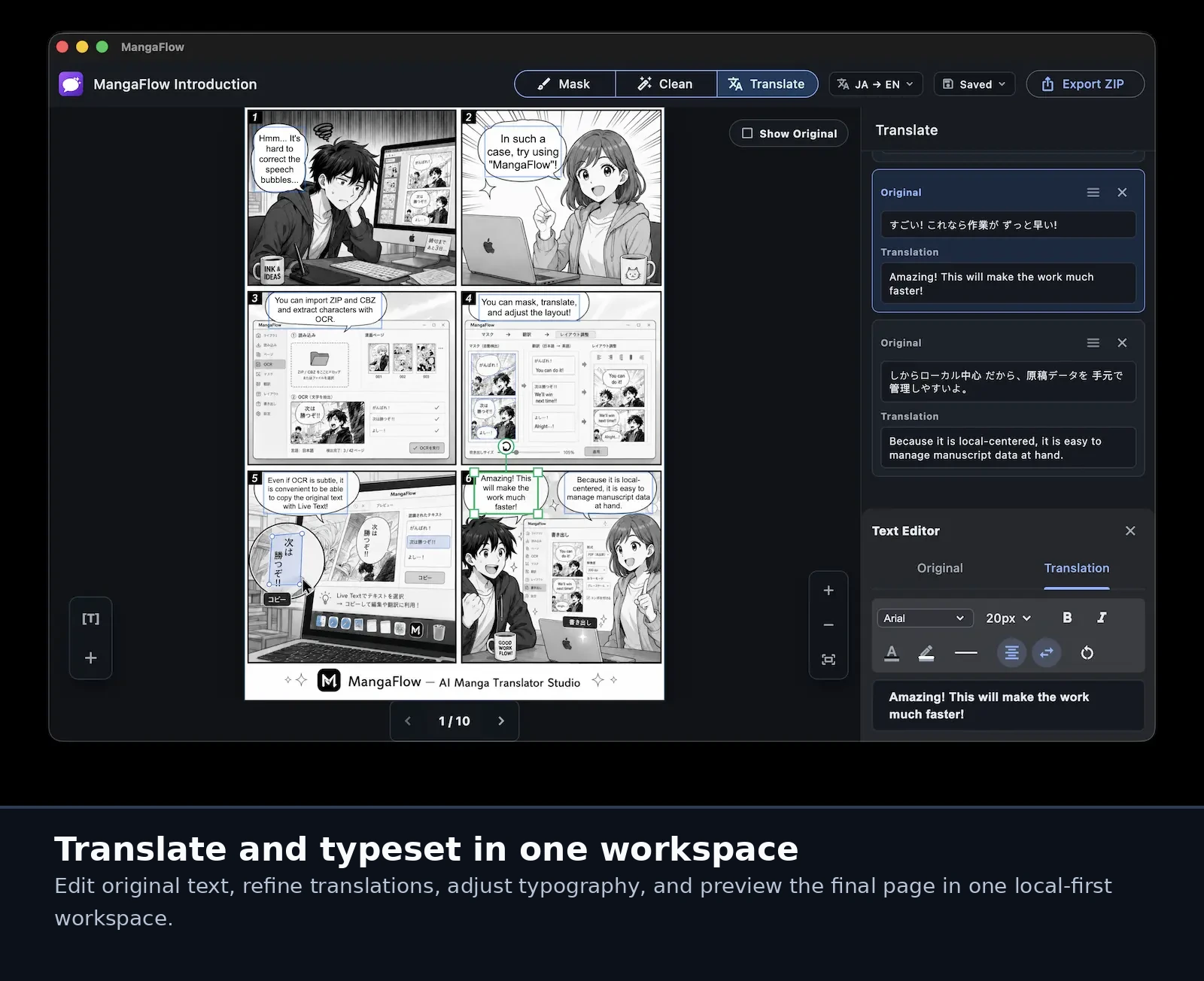
Draft translations, revise wording, and keep text aligned with each page.
Copy original text from images with Live Text when it helps OCR correction.
Set fonts, colors, rotation, and export rendered pages for delivery.
Keep manga images, project files, OCR text, masks, and exports on your Mac.